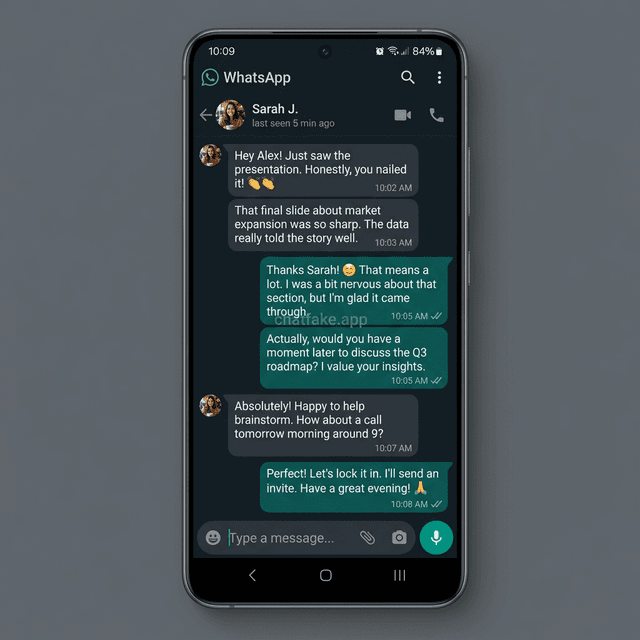
Fake WhatsApp Screenshot Generator for Android
Create fake conversations with an Android-style WhatsApp layout. Our interface is designed around Material Design 3, with the original Roboto feel, native Android dark mode, and Google emoji. Export in high resolution for creatives, memes, and videos.
Auto Scroll

ChatFake
online


Popular Searches
Fake WhatsApp Android screenshots with editable messages, audio, and clean export
Use this generator to create fake WhatsApp Android screenshots, edit messages and audio, adjust timestamps, and export a clean image from the browser.
Android-style chat layout
This version is focused on the Android WhatsApp look for people who want message bubbles, spacing, and chat visuals closer to that style.
Messages, audio, and timestamps
It highlights editable chat details such as sent and received messages, audio, timestamps, and profile information.
Fast browser workflow
Everything runs online, so you can build the chat quickly and export it without downloading another app.
Related tools inside ChatFake.app
You can jump from here to the iPhone generator or other sample-data tools when you need a different type of visual or test data.
Use fake chat screenshots for entertainment, mockups, presentations, and creative work. Do not use them for fraud or impersonation.
Related tools
Fake WhatsApp Android Generator FAQ
Is the fake WhatsApp Android generator free?
Yes. The main generator is free to use, and the primary export stays clean without a watermark.
Does the layout feel close to a real Android chat?
Yes. It is built to match the Android WhatsApp look closely, including message bubbles, timestamps, audio, and chat structure.
Should I use the Android or iPhone version?
Use the Android version when you want that visual direction, or switch to the iPhone generator if you need an iOS-style chat.
Can I change the contact, messages, and timing?
Yes. You can edit the contact name, photo, messages, timestamps, audio, and other visual details before exporting the screenshot.
Inspiration Gallery
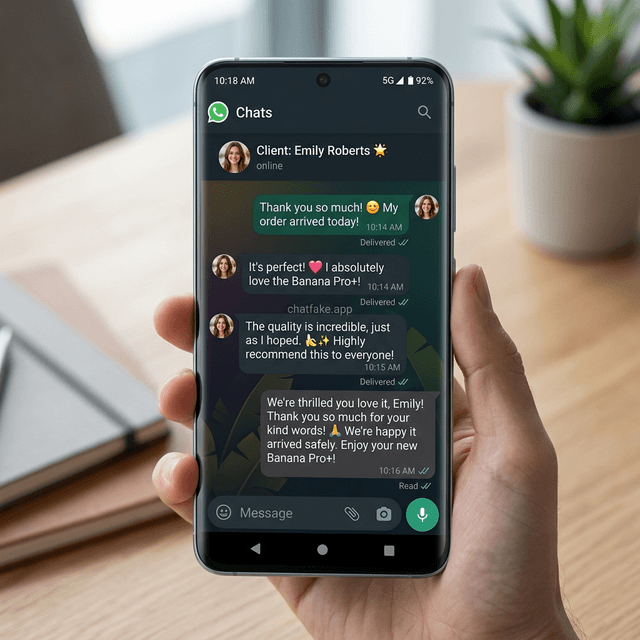
Discover the endless possibilities of our generator. Here are some of the most realistic mockups created by the community to inspire you.

Visual Confirmation
Social Proof